KashKick not tracking your game? Why it happens and 7 fixes that work

Quick answer
If KashKick is not tracking, wait 24 hours: new games show as Pending while the install is confirmed. Then turn tracking on for KashKick and the game, switch off VPNs, ad blockers and iCloud Private Relay, stay on one device, and make sure it's your first install of that game. If it still fails, test another game and send support screenshots of your progress.
KashKick not tracking your game? Start with the 24 hour rule. KashKick says a new game shows as Pending while the install is confirmed, then moves to In Progress. If nothing has appeared within 24 hours of installing or hitting a goal, tracking has probably failed. The usual fixes are turning tracking on for both KashKick and the game, switching off any VPN, ad blocker or iCloud Private Relay, and staying on the same device. If it still fails, try a different game and send support screenshots of your progress.
We run Vazpop, a rewards site that uses the same kind of game offers, so we deal with tracking every day. Here's what's actually going on and the fixes that work, based on KashKick's own tracking help article.
Why KashKick games stop tracking
KashKick doesn't see inside the game. When you install a game through KashKick, the game's own tracking tool records that the install came from KashKick and then reports your progress back, level by level. KashKick only credits what that tool reports. So anything that breaks the link between "this install" and "this KashKick account" breaks tracking:
- Tracking permission turned off on your phone or in the game
- A VPN, proxy, ad blocker or iCloud Private Relay hiding where the install came from
- Installing the game outside KashKick, or having installed it before
- Switching phones partway through
- The game's own tracking simply failing, which happens even when you do everything right
KashKick says so itself: tracking relies on several systems, so activity can be delayed or missed "even when you follow every step", and if something doesn't track, you may not have done anything wrong. It's a common problem. In KashKick's 500 most recent App Store reviews, 17% of the 1 and 2 star ones mentioned tracking or rewards stuck as pending.
How to fix KashKick not tracking, step by step
1. Check where you are in My Games
Open My Games. A game that says Pending is still being confirmed. That's normal for the first hours. For deals, check In Progress. Give it the full 24 hours before assuming something's wrong.
2. Turn tracking on everywhere
Tracking needs to be allowed for KashKick and for the game. On iPhone, go to Settings → Privacy & Security → Tracking and make sure "Allow Apps to Request to Track" is on, then allow it for both apps. When the game asks "Allow tracking?" the first time you open it, say yes. KashKick also has a Tracking Health tool in the account menu that checks your setup.
3. Switch off anything that hides your connection
Turn off VPNs and proxies, ad blockers and browser extensions. On iPhone, turn off iCloud Private Relay too. Then stay on one normal Wi-Fi or mobile connection while you install and play.
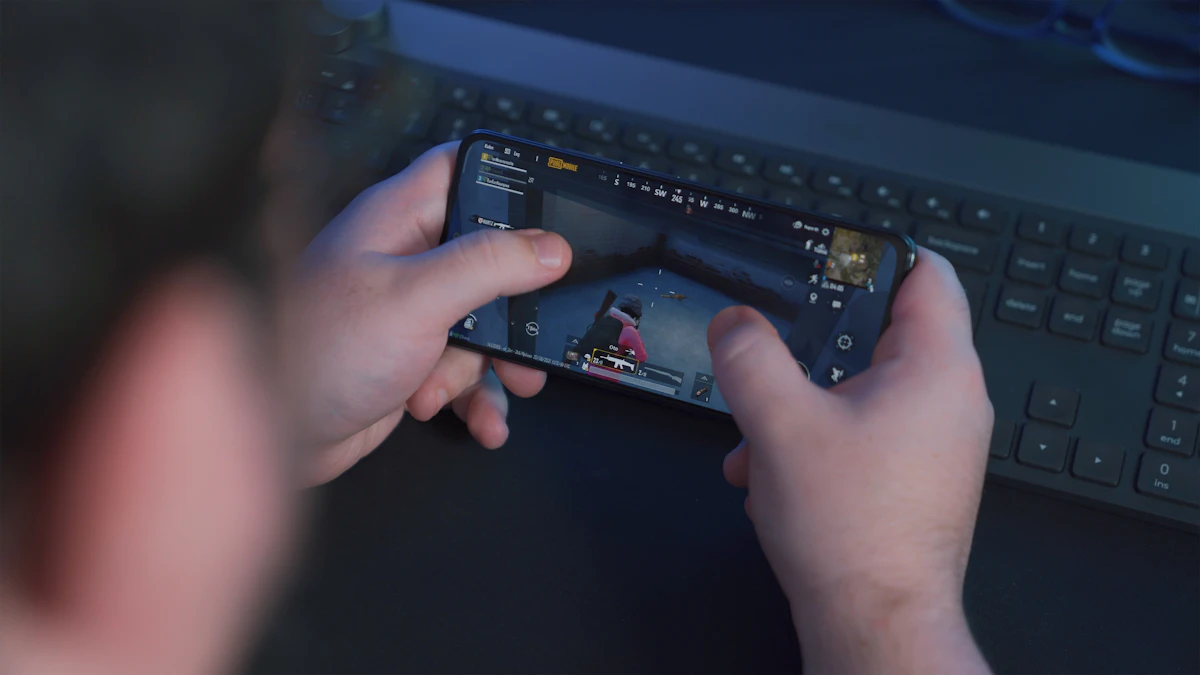
The game's own tracking tool, not KashKick, reports your level progress. Photo by Onur Binay on Unsplash.
On Android: keep your advertising ID
Android phones use an advertising ID instead of Apple's tracking prompt. If you've deleted or reset it under Settings → Google → Ads (the exact menu varies by phone), new installs can't be matched to your KashKick account. Leave the advertising ID on while you're doing game offers, and turn off any battery saver that force-closes apps in the background, since some games only report progress while they're running.
4. Use one device, and a fresh install
Stay on the phone you started with. Game offers are only for new players of that game, so if you've installed it before, even years ago, it may never track. If you're unsure, pick a game you've never played.
5. Wait a few hours after changing settings
After fixing a setting, KashKick suggests waiting a few hours and checking again. Don't uninstall and reinstall over and over. Each reinstall can look like a repeat install to the advertiser.
6. Test with another game
Start a different game or deal. If the new one tracks and the old one doesn't, the problem is with that specific offer, not your phone. That's useful to know before you spend more time on it.
7. Contact support with proof
If it still hasn't tracked after 24 hours, contact KashKick support. Include screenshots of your level and the date you installed. KashKick says it works with its partners to investigate and recover missing activity when possible.
Pending, In Progress and credited: what each means
It helps to know what KashKick's labels are telling you. Pending under My Games means KashKick is still waiting for the game to confirm your install. Nothing you do in the game counts until that confirmation arrives, so play normally but don't race ahead to big goals yet. In Progress means the install is confirmed and the game is now reporting your levels. Each goal you reach should then appear as credited within a day. If a game moves to In Progress but a later goal doesn't show, that's a reporting delay on a single milestone, which is exactly when your dated screenshots matter most.
How to avoid tracking problems next time
- Screenshot your progress at each milestone, with the date visible.
- Hit the first goal early. If the first milestone credits, the rest usually will.
- Don't spend money on a game until you've seen at least one milestone credit.
- Read the deadline. A goal reached one hour late doesn't pay, however well tracking works.
For a broader look at KashKick, see KashKick vs Freecash, and for game offers in general, our guide to making money playing games on your phone.
How Vazpop shows tracking
We built Vazpop's Tracking page around this exact problem. Every offer you start gets its own row showing where it stands: waiting for the advertiser, on hold, paid, or reversed. Holds show as a countdown, and if anything is ever reversed, the reason stays next to it. You always know what's happening with an offer, instead of guessing.
Frequently asked questions
How long does KashKick take to track a game?
A new game shows as Pending while KashKick confirms the install, then moves to In Progress. KashKick says that if nothing appears within 24 hours, tracking may not be working.
Why is my KashKick game stuck on pending?
The install hasn't been confirmed by the game's tracking yet. Common causes are tracking permission being off, a VPN or ad blocker, iCloud Private Relay, or having installed the game before.
Can KashKick support add missing progress?
Progress is reported by the game's advertising partner. KashKick says it works with partners to investigate and recover missing activity when possible, and screenshots of your level and install date help support help you.
Does a VPN stop KashKick tracking?
Yes. KashKick's help article says to turn off VPNs, proxies, ad blockers and, on iPhone, iCloud Private Relay for tracking to work.
Ready to try it yourself?
Free to join. Every payout is on a ledger you can read, so you always know where you stand.
Create a free accountKeep reading

How rewards sites work
Freecash verification: how the Veriff ID check works and how to fix it
The Veriff check stands between you and your first Freecash withdrawal. Here's what it needs and how to get through it first time.
Ben · Oct 26, 2026 · 4 min read

How rewards sites work
AttaPoll no surveys available? 7 reasons and how to get more
An empty survey list on AttaPoll has a handful of causes, and one of them needs a fresh account. Here's how to tell which is yours.
Ben · Oct 23, 2026 · 4 min read

Comparisons
KashKick vs Mistplay: cash for game goals or points for everyday play
One pays cash for hitting goals by a deadline. The other pays points for playing a little every day. Here's which suits you.
Ben · Oct 22, 2026 · 4 min read